Writing sessions
Keep the draft, research page, notes, and reference windows in the same layout. Switch back into the writing scene without rebuilding it.
macOS · Window scenes · Local-first
SnapScene captures the windows you arrange every day, then restores them as a named scene. Writing, coding, research, and design layouts stop disappearing every time you switch context.
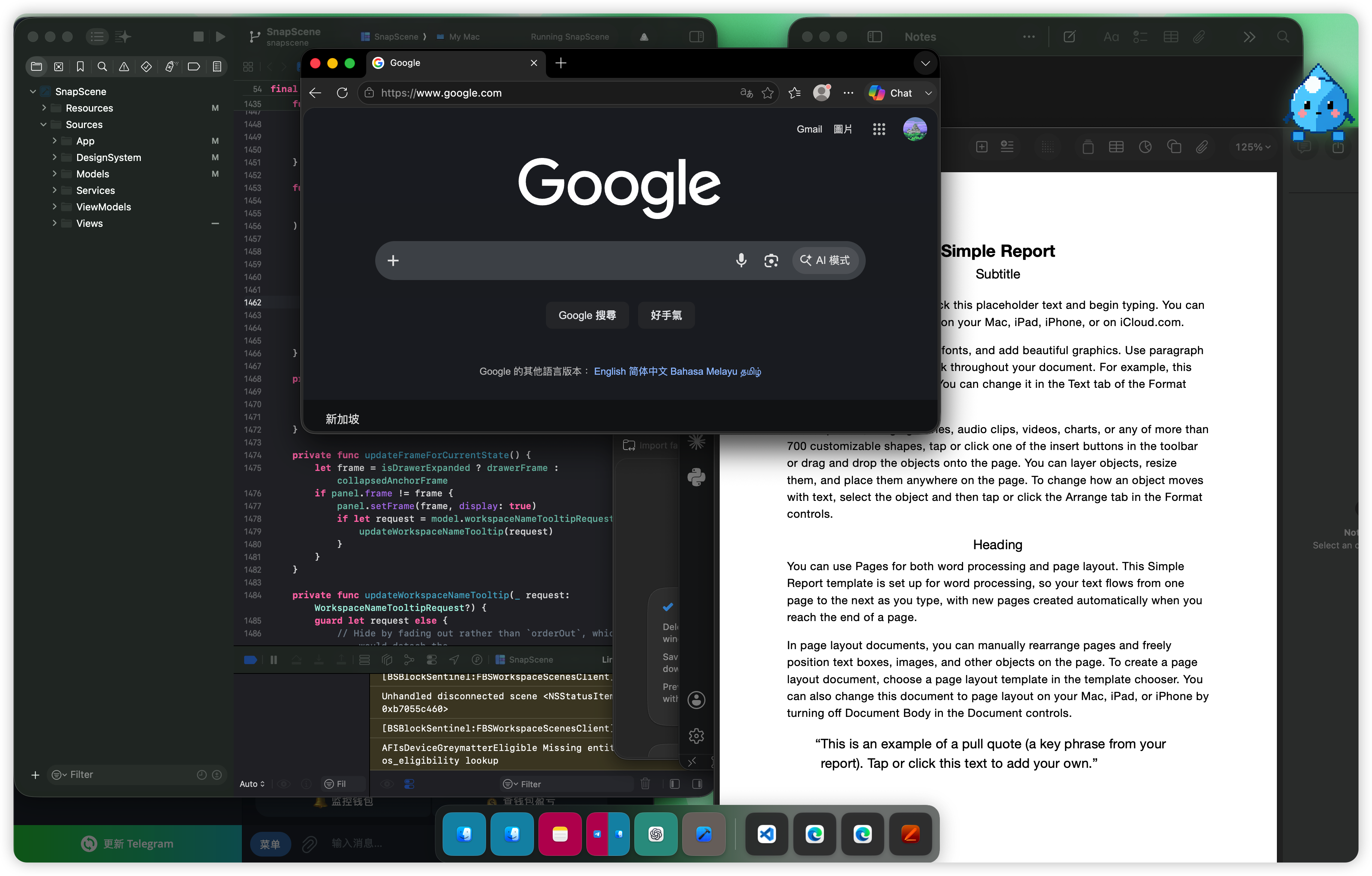
 Scattered windows
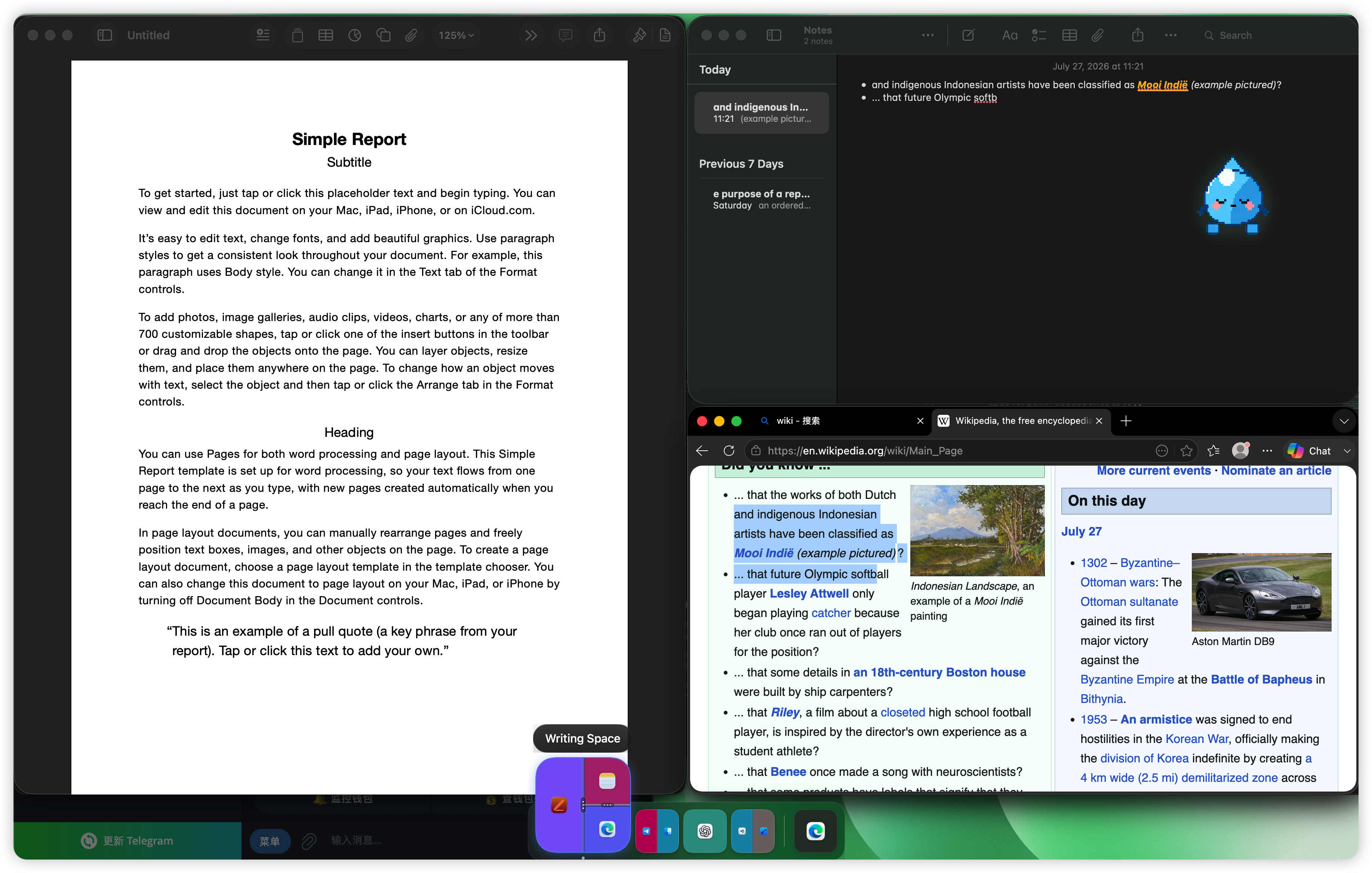
Restored in one click
Restore scene
Scattered windows
Restored in one click
Restore scene
SnapScene is useful when the same set of windows becomes the same kind of work again and again. It keeps that context ready without you rebuilding it by hand.
Keep the draft, research page, notes, and reference windows in the same layout. Switch back into the writing scene without rebuilding it.
Pair the editor, terminal, browser, and docs into one workspace. Return to that arrangement when you pick the task back up.
Save reading, comparison, and note-taking layouts. Preserve the context instead of hunting through tabs and windows again.
Arrange the design, prototype, and feedback board together. Restore that review surface with a single action.
The workflow is deliberately short: capture once, preview visually, restore only what you need.
SnapScene records the window set, relative layout, and split ratios on your current desktop.
The left-edge panel shows layout thumbnails, so you choose the scene by shape rather than a text label.
Click a scene tile or use a shortcut. SnapScene moves and resizes the windows back into place.
SnapScene stays close to the way macOS already works. It does not ask for more access than the task needs.
Scenes use relative layout and split ratios, so they remain useful across display changes rather than depending on fragile pixel positions.
The panel is inspired by the Dock: you scan layout shapes first, then act. It avoids turning your workspace into an unreadable list.
The website version arranges windows directly through macOS Accessibility; the App Store version works with the SnapScene Window Helper shortcut. Scene data stays local by default.
This is the difference SnapScene is built to remove: the same windows, but recoverable in one step.

SnapScene is distributed through two channels: the Developer ID DMG will be available for download from this website soon, and the Mac App Store listing launches at the same time.