功能说明

用自然语言找回剪贴板历史

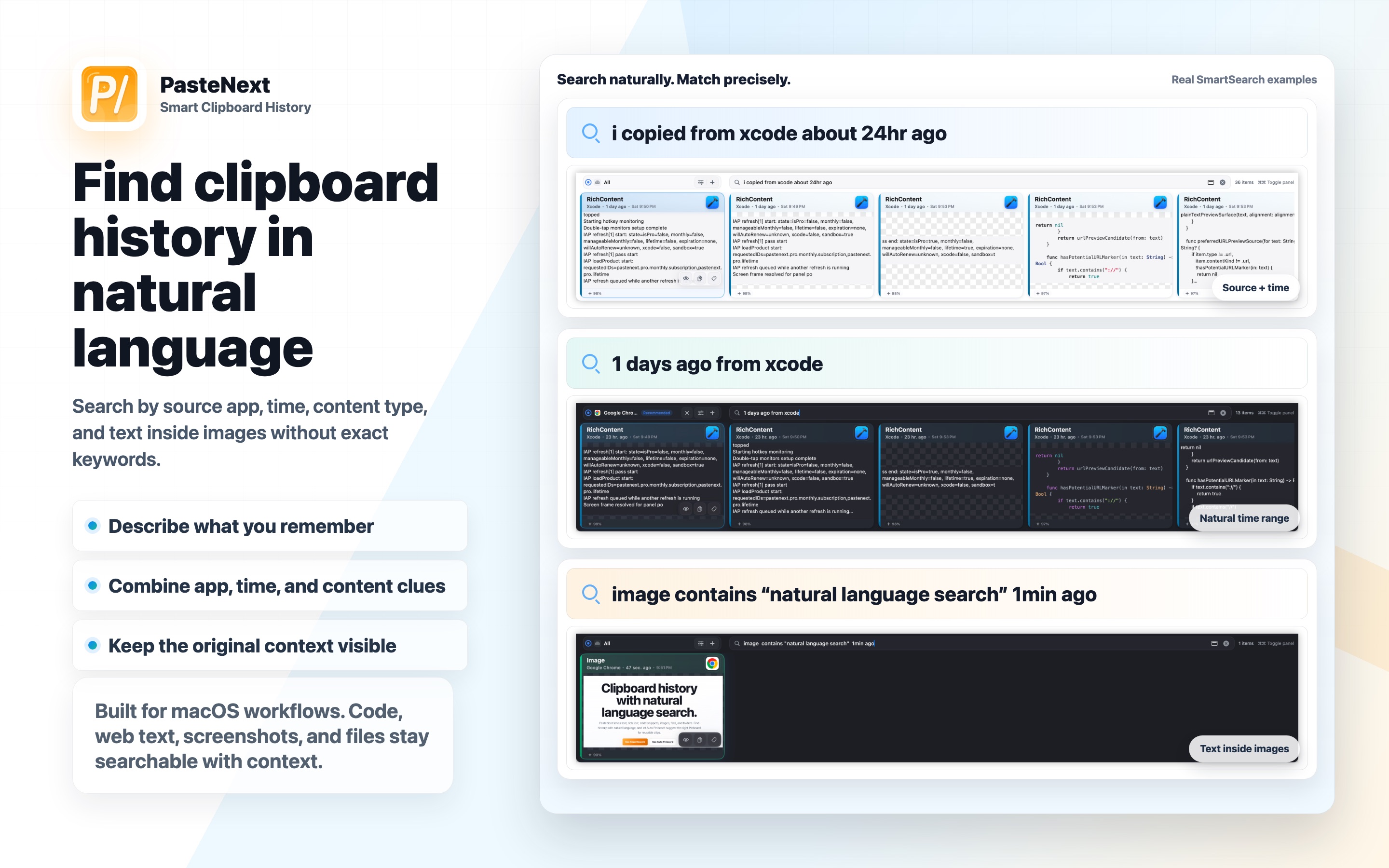
SmartSearch 按照人们真实记忆复制内容的方式设计:有时记得含义,有时记得来源,有时只记得大概时间。

PasteNextmacOS 剪贴板管理工具
SmartSearch自然语言搜索
PinBoard可复用内容集合
用自然语言找回剪贴板历史

为什么自然语言重要

传统剪贴板搜索适合你记得精确文字的情况。自然语言搜索适合你只记得“今天上午 Chrome 里的图表”或“Xcode 里关于权限的代码片段”这类线索。

PasteNext 会组合多个线索,用户不需要记住一个完美关键词。

  • 按语义描述内容
  • 按来源 App 或时间过滤
  • 搜索图片里的文字
  • 保留原始内容上下文

典型使用场景

SmartSearch 特别适合开发者、写作者、研究人员、支持团队,以及一天中会从多个 App 复制大量资料的人。

它能缩短“记得复制过某个东西”和“重新找到准确内容”之间的距离。

  • 找回代码片段
  • 查找截图和复制过的图片
  • 回到客户消息
  • 复用研究笔记和链接
Feature guide

Find clipboard history with natural language

SmartSearch is designed for the way people remember copied information: partly by meaning, partly by source, and partly by time.

PasteNextmacOS clipboard manager
SmartSearchNatural language search
PinBoardReusable clip collections
Find clipboard history with natural language

Why natural language matters

Traditional clipboard search works when you remember exact words. Natural language search is useful when you remember something like “the chart from Chrome this morning” or “the code block from Xcode about permissions”.

PasteNext combines multiple clues so the user does not need to remember a single perfect keyword.

  • Describe content semantically
  • Filter by source app or time
  • Search text inside images
  • Keep original content context

Best use cases

SmartSearch is especially useful for developers, writers, researchers, support teams, and anyone who copies material from many apps during the day.

It helps reduce the gap between remembering that something was copied and finding the exact item again.

  • Recover code snippets
  • Find screenshots and copied images
  • Return to customer messages
  • Reuse research notes and links